
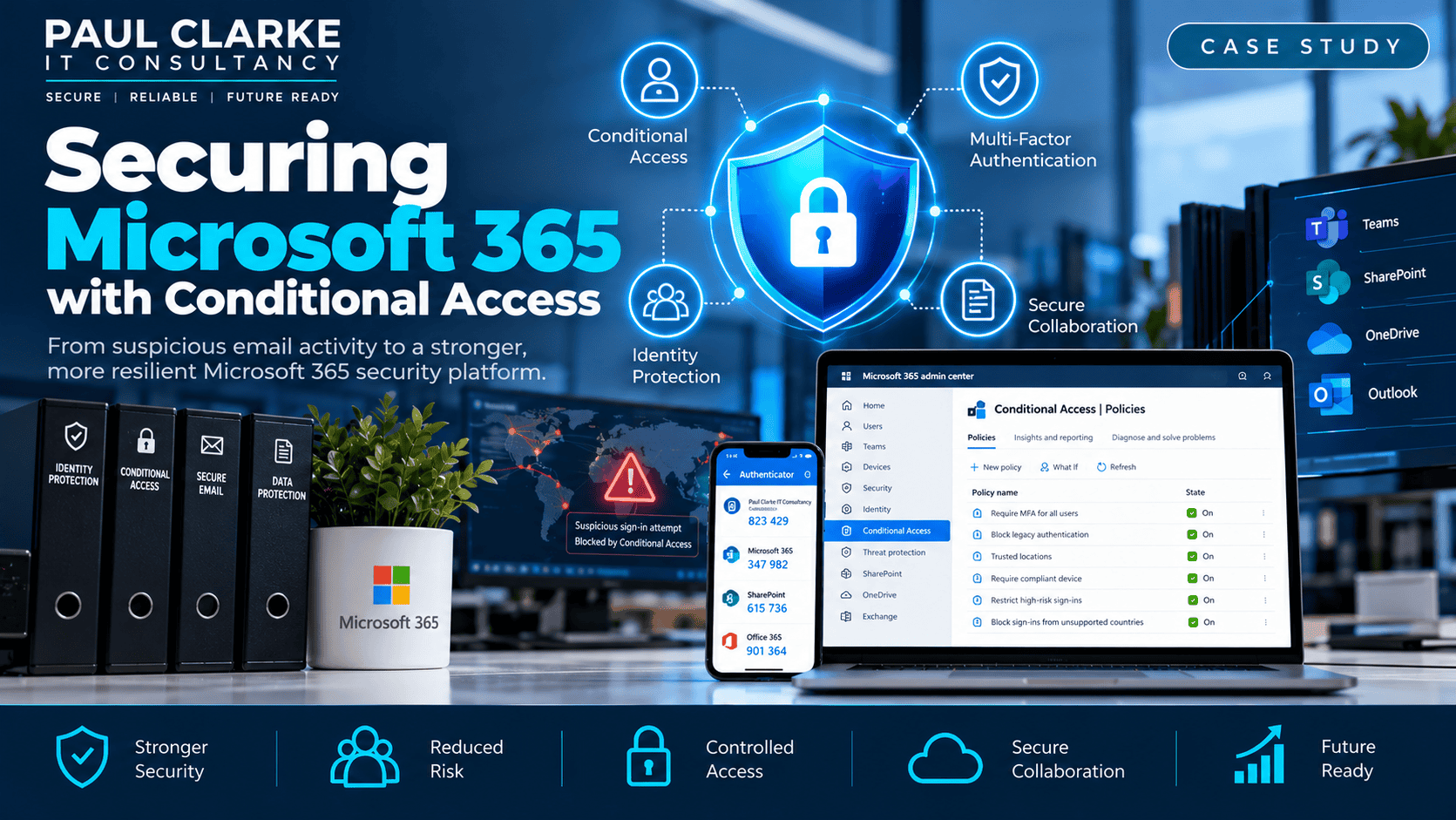
Microsoft 365 Conditional Access: Securing Business Identities
How suspicious email activity prompted an investigation into identity security, an upgrade to Microsoft 365 Business Premium and a layered approach to controlling access to cloud services.
Overview: From Suspicious Emails to Security Review
A customer reported receiving suspicious emails that appeared to originate from within their organisation, raising concerns about a possible Microsoft 365 account compromise.
Rather than treating a password change as the end of the matter, the response expanded into a review of the organisation’s Microsoft 365 security posture: containing the immediate risk, examining sign-in activity and strengthening controls against future attempts.
The objective
Understand what happened, secure the affected account and make similar attacks significantly harder to carry out.
The Challenge
Suspicious Emails
Emails consistent with phishing or possible account compromise raised concerns that credentials might have been exposed.
Overseas Authentication Attempts
Microsoft Entra ID sign-in data showed activity from countries outside the organisation’s normal operating locations.
Existing Authentication Controls
The organisation relied on its existing username, password and authentication arrangements, prompting a review of how access was protected.
Limited Conditional Access Options
The existing Microsoft 365 Business Standard licences did not include the full Conditional Access capabilities required for the proposed improvements.
Immediate Incident Response
The priority was to contain the potential exposure before making broader changes to the tenant.
Reset the Password
Changed the affected user’s password to prevent continued access with potentially compromised credentials.
Review MFA Methods
Reviewed registered authentication methods and reset them where appropriate, checking that no unauthorised method could remain in use.
Revoke Active Sessions
Revoked existing Microsoft 365 sessions to invalidate previously issued access and reduce the risk of an attacker retaining an authenticated session.
Investigate Sign-in Activity
Examined Entra ID sign-in information for unusual locations, authentication attempts and other indications of suspicious access.
Why a password reset alone is insufficient
An attacker might already possess an authenticated session or have registered an authentication method. Reviewing those methods and revoking sessions are important elements of containment.
What the Investigation Revealed
Sign-in logs showed authentication attempts originating from geographical regions inconsistent with the customer’s normal business activity. This highlighted the global accessibility of cloud sign-in services.
Unsuccessful overseas attempts are not proof that an account was successfully compromised. They do, however, provide useful evidence when deciding how to reduce unnecessary exposure.
Closing the Licensing Gap
The organisation used Microsoft 365 Business Standard. To implement the intended identity and access controls, users were upgraded to Microsoft 365 Business Premium.
Business Standard
Core Microsoft 365 productivity services, without the full Conditional Access capabilities needed for this project.
Business Premium
Access to Microsoft Entra ID Conditional Access and a wider security and device-management toolkit, including Microsoft Intune.
This was a security and management decision, not simply an Office licensing upgrade.
Designing Conditional Access
Conditional Access enables Microsoft Entra ID to assess the context of a sign-in rather than relying on a correct password alone. Depending on policy configuration and licensing, signals and controls can include user identity, application, location, authentication strength, device state and sign-in risk.
Who Is Signing In?
Apply access decisions to the appropriate users and applications.
Where Is the Request Coming From?
Use Named Locations and location-based conditions to restrict sign-ins from unexpected regions.
Has MFA Been Satisfied?
Require additional verification rather than relying on possession of a password.
Is the Device Trusted?
Business Premium enables further policy options based on managed or compliant devices.
Named Locations and Geographical Restrictions
The organisation’s users normally worked in the United Kingdom. Named Locations were configured in Microsoft Entra ID and incorporated into the Conditional Access design to restrict authentication from unexpected geographical regions.
Reduced exposure
Where staff have no legitimate need to authenticate from particular countries, location-based restrictions can reduce unnecessary access opportunities.
Important limitation: location restrictions are not a complete defence. VPNs, proxies and compromised devices within an allowed region can bypass the geographic assumption, so strong authentication and monitoring remain essential.
Strengthening Multi-Factor Authentication
Conditional Access was also used to strengthen how MFA was applied. A password remained one factor, but access could be evaluated alongside additional authentication and contextual controls.
First Factor
Necessary in many authentication flows, but not sufficient as the only protection.
Additional Verification
Reduces the chance that stolen credentials alone can be used to gain access.
Expected Geography
Provides additional context for whether a sign-in should be permitted.
Management and Compliance
Creates opportunities for stronger device-based controls as the security programme matures.
A Layered Security Strategy
No single control makes Microsoft 365 immune to phishing or account compromise. The approach combined immediate containment and ongoing prevention.
Authentication Controls
- Strong passwords and MFA
- Conditional Access policies
- Named Locations
- Authentication method reviews
- Session revocation when required
Wider Defences
- Entra ID sign-in monitoring
- Managed and compliant devices
- Endpoint protection
- User security awareness
- Controlled administrative access
Some of these measures were implemented during the project; others represent further controls made possible by the upgraded licensing.
The Results
The immediate incident was contained and the organisation adopted a stronger Microsoft 365 identity-security posture.
- Suspicious activity investigated through Entra ID sign-in information.
- Affected account secured through password, MFA-method and session controls.
- Users upgraded from Business Standard to Business Premium.
- Conditional Access introduced to apply contextual access restrictions.
- Named Locations used to limit unnecessary geographical exposure.
- MFA incorporated into a broader identity-access strategy.
- A foundation established for further device and endpoint security improvements.
Going Further with Business Premium
The licensing upgrade created options for additional improvements beyond the initial Conditional Access work.
Microsoft Intune
Device management, compliance policies, application protection and requirements for compliant devices where appropriate.
Defender and Windows Security
Microsoft Defender for Business, Windows security baselines and BitLocker management.
Stronger Authentication
Further authentication-method improvements and tighter administrative access controls.
Ongoing Security Maturity
Reviewing sign-in activity and refining policies as user and device requirements evolve.
These are potential next steps enabled by Business Premium, not claims that every listed feature was deployed during this engagement.
Could Your Microsoft 365 Tenant Be Better Protected?
I can help review your existing Microsoft 365 security, assess authentication and access policies, and identify practical improvements to protect your users and business information.