VMware to Scale HC3 Migration: Moving Production Virtual Machines
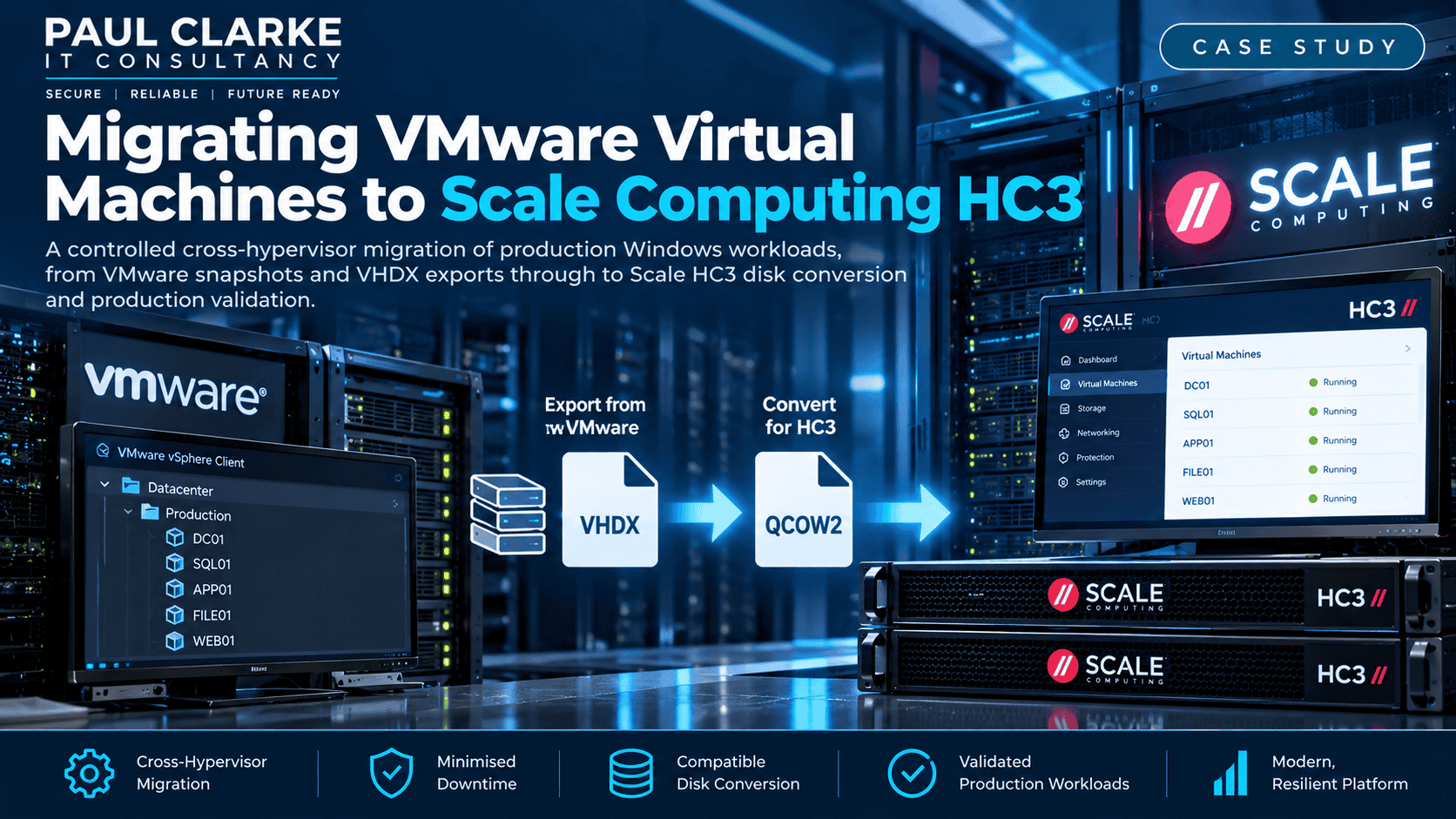
This VMware to Scale HC3 migration involved a controlled cross-hypervisor move of production Windows workloads, from VMware snapshots and VHDX exports through to Scale HC3 disk conversion, storage-driver changes and production validation.
The Project at a Glance
Moving virtual machines between hypervisors is not always as simple as copying a virtual disk. This project involved migrating production VMware workloads to a Scale Computing HC3 cluster while keeping downtime and risk to a minimum.
VMware
Existing Windows production virtual machines, including snapshots and established application configurations.
VHDX
Consolidated snapshots and exported virtual machines as VHDX files using VMware tools.
Scale HC3 / QCOW2
HC3 imported the VHDX files and performed the conversion to QCOW2 for the destination virtual machines.
HC3 Production
Adapted storage drivers, validated the migrated workloads and moved them into production.
The Challenge
The organisation was moving away from its existing VMware infrastructure and onto a Scale Computing HC3 cluster. The existing production servers were Windows virtual machines that needed to remain functional on different virtual hardware.
Simply copying a disk would not address snapshot state, format compatibility, controller differences or missing Windows VIRTIO storage drivers.
What Needed Attention
- Production workloads and existing snapshots
- Different virtual disk formats
- Different virtual storage controllers
- Windows VIRTIO drivers not initially installed
- Controlled downtime and service continuity
What Success Looked Like
- Move workloads onto Scale HC3
- Preserve existing Windows installations
- Avoid unnecessary server rebuilds
- Validate each VM before production use
- Retire VMware workloads safely
The key principle
The goal was not simply to move virtual disks. It was to move complete production workloads onto a different hypervisor and have them behave as expected.
Implementation: Nine Controlled Migration Stages
Each stage addressed a distinct technical risk, from source consistency and disk compatibility to Windows drivers and service validation.
Audit and Prepare the VMware VMs
Reviewed each source virtual machine, including its attached disks, snapshot history and current production state. The aim was to understand exactly what would be exported and plan the migration and validation sequence.
- Review each virtual machine and its virtual disks
- Identify existing snapshots
- Confirm the current production state
- Plan export, migration and validation
Consolidate VMware Snapshots
Where snapshots existed, they were consolidated before export so the current production state was represented in the disk prepared for migration, rather than being spread across a base disk and snapshot files.
Successful consolidation left the source VM in a cleaner, more predictable state for export.
Export the Virtual Machines as VHDX
With snapshots consolidated, the virtual machines were exported using the available VMware tools. The resulting VHDX files provided the hand-off between the VMware infrastructure and Scale HC3.
This separated source preparation from the destination import process and gave each workload a defined migration path.
Import VHDX and Convert to QCOW2
Uploaded the exported VHDX files into Scale Computing HC3. During import, HC3 performed the conversion to QCOW2, removing the need to run a separate manual disk-conversion utility.
Let HC3 handle the conversion
The source disk arrived as VHDX; HC3 converted it into the QCOW2 format required by the destination VM.
Solve the Windows Storage-Driver Problem
The migrated Windows installations did not initially have the required VIRTIO storage driver for the new virtual hardware. Attaching the boot disk directly through VIRTIO could therefore prevent Windows from accessing it.
The workaround was to boot the converted disk through an IDE controller, install the required Scale/VIRTIO drivers, and then switch to VIRTIO.
The IDE-to-VIRTIO sequence
- Attach the converted QCOW2 disk to the HC3 VM as IDE.
- Boot Windows using the IDE controller.
- Install the required Scale / VIRTIO drivers.
- Shut down the virtual machine.
- Change the disk controller from IDE to VIRTIO.
- Boot Windows again and confirm the disk is recognised.
The difficult part was not just moving the disk; it was ensuring Windows could communicate with its new virtual storage hardware.
Configure the HC3 Virtual Machine
Once the storage-driver issue was resolved, configured the appropriate virtual CPU, memory, networking and storage settings for each migrated workload.
Booted the VM again with its final configuration and checked for problems associated with the hypervisor change.
Validate the Migrated Server
A successful Windows boot was only the first test. Each server also needed checks for operating-system health, network connectivity and business application functionality.
Windows & Drivers
- Normal startup
- No storage errors
- Expected system resources
- Drivers operating correctly
Networking
- Network connectivity
- Correct IP configuration
- DNS resolution
- Required server communication
Business Services
- Application services
- Server roles
- Scheduled tasks
- Business functionality
Move the Workload into Production
After validation confirmed that a migrated VM was operating correctly on HC3, the workload could be moved into production.
Final checks established that users and dependent systems could reach the migrated server and that its services behaved as expected.
Retire the Original VMware VM
Only once the HC3 workload had been proven was the original VMware virtual machine retired from production.
This avoided accidentally operating two copies of the same production server and supported the wider move away from the legacy VMware platform.
Technologies & Skills
The project brought together source-platform preparation, virtual disk conversion, Windows storage drivers and production-level validation.
Virtualisation
- VMware
- Scale Computing HC3
- Windows Server
- Hypervisor migration
Disk & Drivers
- VHDX exports
- QCOW2 conversion
- IDE and VIRTIO controllers
- VM snapshot consolidation
Migration Management
- Workload assessment
- Migration planning
- Validation and troubleshooting
- Production cutover
Business Continuity
- Preserving existing Windows installations
- Minimising unnecessary rebuilds
- Verifying application functionality
- Safe retirement of legacy VMs
The Outcome: VMware Workloads Successfully Migrated
The existing Windows workloads were successfully moved from VMware to the Scale Computing HC3 platform without rebuilding the servers from scratch.
- Existing Windows installations and application configurations preserved.
- Source VMware snapshots consolidated before export.
- VHDX disks imported and converted to QCOW2 by HC3.
- Windows boot-storage compatibility addressed using IDE and VIRTIO drivers.
- Operating systems, networking and application services validated.
- Production workloads transitioned to HC3 before retiring the original VMware VMs.
VMware workloads migrated. Existing Windows installations preserved. Scale HC3 in production.
Planning a Hypervisor Migration?
Moving workloads between virtualisation platforms involves storage formats, virtual hardware, drivers, networking and application dependencies. I can help assess your infrastructure, plan a safe migration path and minimise disruption.