
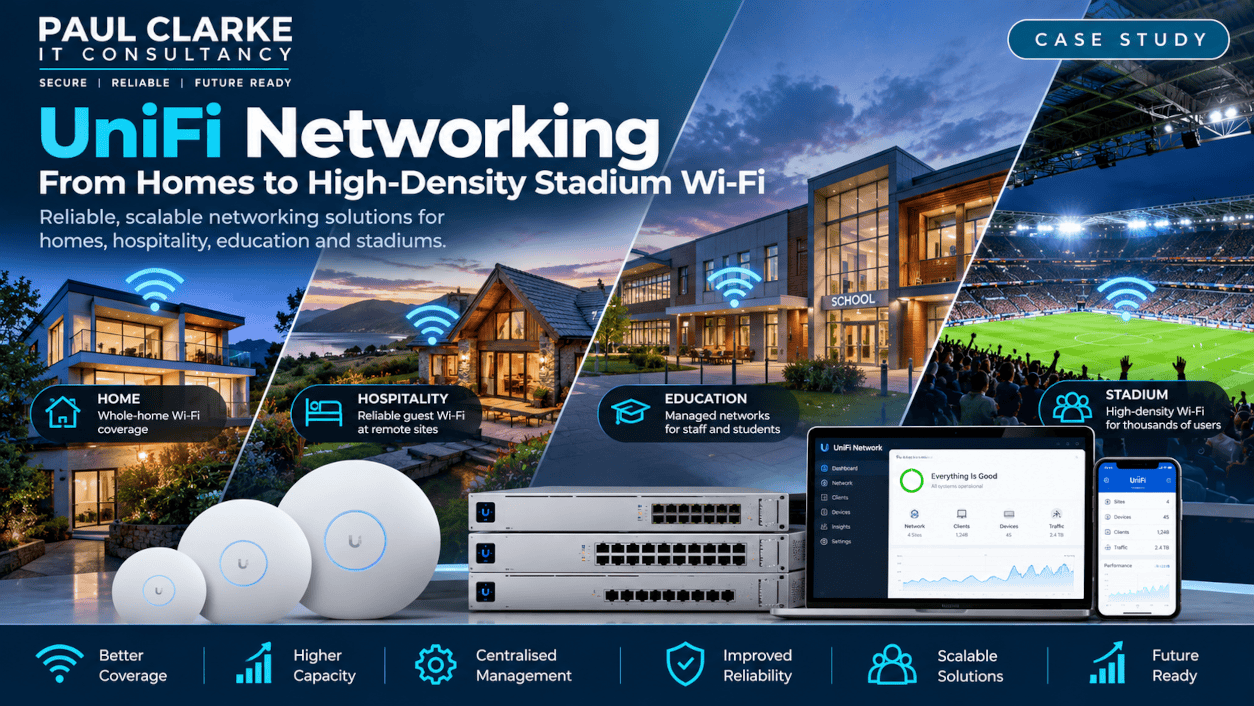
UniFi Network Installation: From Homes to High-Density Stadium Wi-Fi
What do a three-storey home, an Airbnb, a secondary school and a football stadium have in common? They all need reliable networking — but their requirements for coverage, capacity, resilience and management are very different.
Four Networks. Four Very Different Requirements.
These UniFi network installation projects demonstrate how carefully planned wireless coverage, switching and capacity can meet very different requirements. Over the years I’ve designed, installed and supported networks using equipment from several vendors, including Ubiquiti UniFi.
These four deployments show how sound networking principles can scale from a home to environments serving thousands of people.
01 / HOME
Three-Storey Property
Consistent wireless coverage, seamless connectivity and simple central management.
02 / HOSPITALITY
Scottish Airbnb
Reliable guest Wi-Fi at a remote site, with centralised visibility and administration.
03 / EDUCATION
Secondary School
Managed switches, wireless access points and a 10Gb fibre backbone.
04 / STADIUM
5,000+ Match-Day Attendance
High-density wireless design, point-of-sale connectivity and capacity planning.
1. Home: Reliable Wi-Fi Across Three Floors
The smallest deployment is also one I know particularly well — because it’s my own. My home extends across three floors, where a single wireless router was not the ideal solution for consistent coverage.
REQUIREMENTS
Coverage and Simplicity
- Reliable wireless coverage across three floors
- Simple central management
- Consistent wireless experience
- Easy expansion when needed
SOLUTION & RESULT
Multiple UniFi Access Points
I use multiple UniFi wireless access points, centrally managed through the UniFi platform. The result is reliable Wi-Fi throughout the property without relying on a collection of independent wireless extenders.
Design lesson
Even at home, good Wi-Fi starts with sensible access-point placement rather than simply increasing the signal strength.
2. Hospitality: Remotely Managed Guest Wi-Fi
A friend operating an Airbnb property in Scotland needed reliable Wi-Fi for guests. I had suitable UniFi access points available and configured the property as a separate, centrally managed site rather than an isolated installation.
IMPLEMENTATION
Dedicated Guest Networking
- Repurposed suitable UniFi access points
- Configured wireless networking for the property
- Introduced centralised management
- Enabled remote visibility and administration
- Provided guest wireless access
BENEFIT
Manage the Site from Anywhere
Configuration changes could be made remotely without travelling to the property. The platform also allowed scope for additional guest-access functionality if required later.
Design lesson
Remote management turns a network hundreds of miles away into something that can be administered almost as easily as one in the next room.
3. Education: Rebuilding a School Network
While working as Network Manager at a busy secondary school, I replaced the existing network infrastructure with a centrally managed UniFi solution.
This was more than a wireless upgrade. It involved replacing switches and access points and improving the infrastructure supporting them. Staff systems, classrooms, laptops, mobile devices and other technology all depended on reliable connectivity, so the design needed adequate capacity and resilience.
THE CHALLENGE
Supporting a Busy School
The network needed to handle demands across classrooms and administrative systems without the switching and backbone infrastructure becoming a bottleneck.
THE SOLUTION
Modernised Infrastructure
- Replaced legacy network hardware
- Deployed managed network switches
- Installed UniFi wireless access points
- Introduced centralised management
- Implemented a 10Gb fibre backbone
- Improved capacity and resilience
The result
The school gained centrally managed switching and wireless infrastructure backed by a
10Gb fibre backbone
, designed for the performance and resilience the environment required.
Fast Wi-Fi is of limited value if the infrastructure behind the access points becomes the bottleneck.
4. Stadium: When Coverage Isn’t the Same as Capacity
A local football club experienced serious connectivity problems with its point-of-sale systems on match days.
During routine testing, the wireless network appeared to work correctly. Then thousands of supporters arrived. With more than
5,000 people potentially in attendance
, payment and ticketing connectivity could become unreliable at precisely the time it was most needed.
The important discovery
The stadium had wireless
coverage
. What it lacked was sufficient
capacity
for the number of people using the environment simultaneously. Those are two very different networking problems.
Survey, Design and Improvements
I surveyed the wireless environment and reviewed the existing installation to understand why the network struggled under match-day conditions. The findings informed a revised access-point layout and the supporting switching and power requirements.
1
Survey the Environment
Reviewed the wireless installation and identified where extra capacity and supporting infrastructure were needed.
2
Plan Access-Point Placement
Designed revised AP positions and planned additional access points for the high-density environment.
3
Strengthen the Wired Infrastructure
Identified switch upgrades, additional Power over Ethernet capacity and fibre-backed connectivity to support the wireless design.
4
Optimise and Tune
Applied configuration improvements and post-installation tuning to better support match-day requirements.
Wireless Security Matters Too
The stadium also offered wireless access to members of the press. I identified an operational security issue with the handling of wireless credentials and recommended a
regular password rotation process
to reduce the risk of exposed or shared credentials remaining usable.
The outcome
With additional access points, upgraded switching, PoE capacity, fibre connectivity and configuration improvements in place, the wireless environment was considerably better equipped to meet match-day demands.
Same Technology. Different Priorities.
| Environment | Primary Priority | Key Consideration |
|---|---|---|
|
Home |
Coverage and simplicity | Multi-floor access-point placement |
|
Hospitality |
Guest access and remote management | Central administration of a distant site |
|
Education |
Performance, resilience and management | Modern switching and a 10Gb backbone |
|
Stadium |
Density, capacity and availability | Match-day loads and operational connectivity |
What These Projects Reinforced
Equipment and scale change, but the fundamentals of good network design remain consistent.
01 / MEASURE FIRST
Understand the Problem
Don’t assume that adding an access point solves a wireless issue. Survey and diagnose first.
02 / DESIGN FOR USERS
Plan for Real Demand
Account for users and devices, not just the size of a building.
03 / THINK END-TO-END
Look Beyond the Wi-Fi
Switching, PoE, cabling, fibre, internet connectivity and configuration all matter.
04 / BUILD IN SECURITY
Protect Access
Consider guest access, credentials, segmentation and operational procedures alongside performance.
05 / DESIGN FOR REALITY
Test Actual Conditions
An empty venue and a full stadium can produce very different network behaviour.
06 / KEEP IT MANAGEABLE
Make Support Practical
Central management helps keep multiple locations supportable and easier to administer.
Technologies & Skills
Networking Platform
- Ubiquiti UniFi
- Wireless access points
- Managed switching
- Power over Ethernet (PoE)
Infrastructure & Design
- 10Gb fibre networking
- Wi-Fi surveys
- Coverage and capacity planning
- Centralised network management
Operations & Security
- Guest wireless networks
- Network troubleshooting
- Wireless security
- High-density Wi-Fi
The Outcome: Networking Designed Around Real Requirements
Across four very different environments, UniFi provided a platform for centrally managed wireless and networking solutions — but success depended on designing for the needs of each site.
- Reliable Wi-Fi across a three-storey home
- Remotely managed guest connectivity at a Scottish Airbnb
- A modernised secondary-school network with a 10Gb fibre backbone
- Improved stadium infrastructure better equipped for match-day demands
- Security and ongoing manageability considered alongside performance
Having Wi-Fi or Network Problems?
I provide Wi-Fi and networking services for homes and businesses throughout
Crewe, Nantwich, Cheshire and the surrounding areas
, with larger projects considered individually. Whether it’s a dead spot, a whole-property solution or a network struggling with demand, I can help investigate and recommend an appropriate approach.