
What is: Linux
What is Linux?
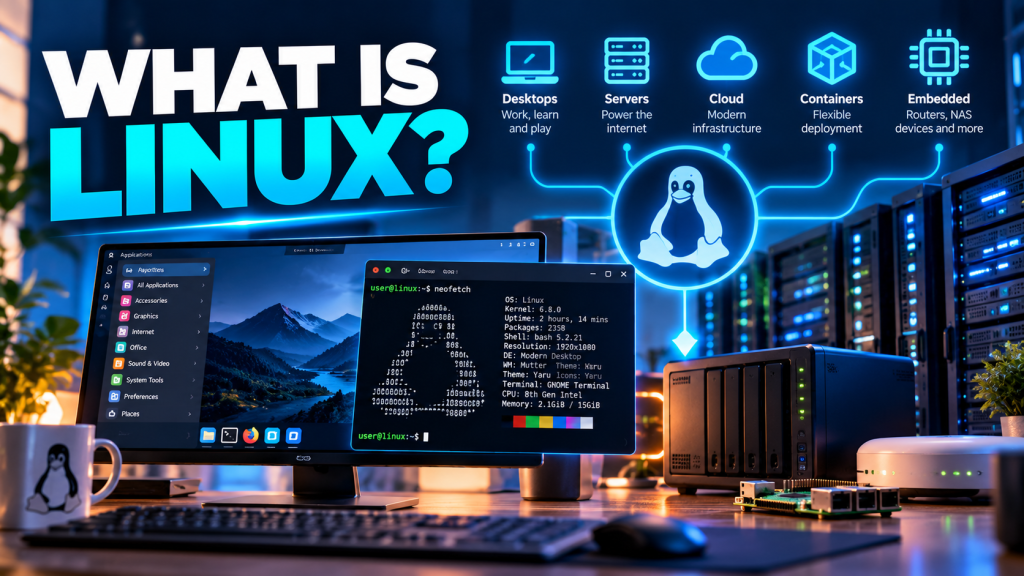
Linux powers websites, servers, cloud platforms, routers, NAS devices and millions of computers around the world. You may never have installed Linux yourself, but there is a very good chance you use it every day.
When most people think about computer operating systems, two names immediately come to mind: Microsoft Windows and macOS.
But there is another operating system quietly running an enormous amount of the technology around us.
Linux.
Linux can run on everything from a tiny single-board computer to enormous cloud platforms containing thousands of servers. It can provide a full graphical desktop, host websites, run virtual machines, power containers or quietly sit inside a router or storage appliance.
And perhaps surprisingly, most Linux distributions can be downloaded and used completely free of charge.
So, what exactly is Linux?
Strictly speaking, Linux is a kernel.
The kernel is the core part of an operating system. It sits between the computer’s hardware and the applications running on it, managing things such as memory, processors, storage devices and networking.
What most of us casually call “Linux” is actually a complete operating system built around the Linux kernel.
These complete packages are known as Linux distributions, or more commonly, distros.
What is a Linux distribution?
Unlike Windows, there isn’t just one version of Linux produced by a single company.
There are hundreds of different Linux distributions, each combining the Linux kernel with applications, system utilities, software repositories and often a graphical desktop environment.
Linux Mint
Linux Mint is particularly friendly for people moving from Windows. Its desktop layout is familiar, straightforward and easy to navigate.
Ubuntu
One of the best-known Linux distributions. Ubuntu is widely used on desktops, servers and in cloud environments, with a huge community behind it.
Fedora
Fedora provides a modern Linux environment and tends to introduce newer technologies relatively quickly.
Debian
Debian is renowned for stability and forms the foundation for many other distributions, including Ubuntu.
There are distributions designed for desktops, servers, security testing, multimedia production, education, embedded systems and many other purposes.
That’s one of Linux’s greatest strengths — and occasionally one of its most confusing features for somebody encountering it for the first time.
Linux doesn’t have to mean a command line
Mention Linux and some people immediately imagine a black screen covered in mysterious commands.
The command line is certainly an extremely powerful part of Linux, particularly for server administration, but modern desktop Linux can provide a graphical environment just like Windows or macOS.
You can browse files, connect to Wi-Fi, install applications, browse the web and manage settings using normal graphical tools.
What can I actually do with Linux?
Browse the web
Browsers such as Firefox and Google Chrome are available for Linux, so normal web browsing feels immediately familiar.
Office work
LibreOffice provides word processing, spreadsheets and presentations, while Microsoft 365 applications can be accessed through a web browser.
Media
Linux has applications for playing music and video, editing photographs and performing many common multimedia tasks.
Gaming
Linux gaming has improved enormously thanks to technologies such as Steam and Proton, although compatibility still varies between games.
Development
Linux is extremely popular with developers and provides excellent support for programming languages, development tools, containers and automation.
Servers
Linux is widely used for web servers, databases, file servers, application servers and countless other infrastructure workloads.
Linux is probably already running more of your life than you realise
You don’t need to have a Linux laptop to be a Linux user.
Linux is widely used behind the scenes throughout modern technology.
- web servers
- cloud computing platforms
- virtual machines
- containers
- NAS storage devices
- routers and firewalls
- smart televisions
- embedded devices
- development platforms
- supercomputers
Android also uses the Linux kernel, meaning billions of smartphones and tablets have Linux sitting underneath them.
Linux on servers
This is where Linux really comes into its own.
Linux is enormously popular as a server operating system because it is stable, flexible, efficient and can be administered remotely without requiring a graphical desktop.
A Linux server might host:
- a website
- a database
- a file-sharing platform
- a backup system
- a VPN
- containers
- monitoring software
- business applications
- cloud services
Many Linux servers run for months or even years with little drama — which, from an infrastructure point of view, is exactly what you want.
Linux and the cloud
Linux is also a fundamental part of modern cloud computing.
Platforms such as Microsoft Azure, Amazon Web Services and Google Cloud can run large numbers of Linux virtual machines alongside Windows systems.
Technologies such as Docker and Kubernetes have made Linux even more important because containers are heavily associated with Linux-based infrastructure.
So although Linux began life long before anyone started talking about “the cloud”, it has become one of the technologies that makes modern cloud computing possible.
Can Linux breathe new life into an old computer?
Absolutely.
This remains one of my favourite uses for desktop Linux.
A computer that feels painfully slow running a modern version of Windows may still be perfectly usable with a lightweight Linux distribution.
If the machine is mainly required for web browsing, email, documents and other basic tasks, installing Linux can potentially extend its useful life considerably.
Of course, Linux cannot perform miracles. An ancient mechanical hard drive and 2GB of RAM are still an ancient mechanical hard drive and 2GB of RAM. But Linux often has significantly lower hardware requirements than a modern Windows installation.
Do I have to install it to try it?
No.
Many Linux distributions can run directly from a USB memory stick using something commonly known as a Live USB.
This allows you to boot the computer into Linux without immediately installing anything onto the internal drive.
Download a Linux distribution
Choose something beginner-friendly such as Linux Mint or Ubuntu.
Create a bootable USB drive
Write the downloaded Linux image to a USB drive using a suitable utility.
Boot from the USB drive
Select the USB device from your computer’s boot menu.
Try Linux
Explore the desktop, test networking and check that important hardware works before deciding whether to install it.
⚠️ A quick word of caution
If you decide to install Linux onto an existing computer, make sure important files are backed up first. Changing partitions or replacing an operating system can result in data loss if something goes wrong.
What about applications?
This is one of the biggest questions for anybody considering moving from Windows to Linux.
Many popular applications have native Linux versions, while alternatives exist for many others.
However, not every Windows application runs natively on Linux.
For example, the traditional desktop versions of Microsoft Word, Excel and Outlook are designed primarily for Windows and macOS rather than Linux.
Microsoft 365 web applications can be used through a browser, and LibreOffice provides an excellent native office suite, but organisations that depend heavily on specialist Windows applications should check compatibility before moving.
Is Linux more secure than Windows?
This question normally produces some fairly enthusiastic arguments on the internet.
The sensible answer is: it depends.
Linux has a strong security model and benefits from features such as software repositories, user permissions and rapid security updates.
But Linux is not magically immune to malware, vulnerabilities or bad configuration.
A poorly maintained Linux server exposed directly to the internet can be compromised just as a poorly maintained Windows server can.
What are the advantages of Linux?
Usually free
Most Linux distributions can be downloaded and used without purchasing an operating-system licence.
Efficient
Linux can perform extremely well on modest hardware and is particularly well suited to servers.
Flexible
Linux can be customised for everything from a lightweight desktop to enormous cloud infrastructure.
Open source
The Linux kernel and huge amounts of the software surrounding it are open source.
Stable
Properly configured Linux systems have an excellent reputation for reliability and stability.
Huge community
Linux has an enormous global community producing software, documentation and technical support.
And the disadvantages?
Linux isn’t automatically the right answer for every computer or every user.
- Some specialist Windows or macOS applications are unavailable.
- Certain games may not work correctly.
- Hardware support can occasionally be problematic.
- Some tasks require more technical knowledge.
- The enormous choice of distributions can be confusing for newcomers.
- Business environments may depend on software that requires Windows.
For somebody whose entire working day depends on Windows-only applications, replacing Windows with Linux simply for the sake of using Linux probably doesn’t make much sense.
Use the right tool for the job.
Which Linux distribution should I try?
If you’re completely new to Linux and simply want to experiment with it on a normal desktop or laptop, I would start with either Linux Mint or Ubuntu.
Both have large communities, good hardware support and plenty of documentation available when you inevitably ask the internet:
Which, to be fair, is not an experience exclusive to Linux.
Should I replace Windows with Linux?
Maybe — but you don’t have to.
Linux isn’t about proving that one operating system is universally better than another.
Windows is an excellent choice for many desktop and business environments. Linux is an excellent choice for many servers, development environments, appliances and desktops.
They can also happily coexist.
You can run Linux inside a virtual machine, use Windows Subsystem for Linux, boot Linux from a USB drive or have completely separate Windows and Linux computers.
The important thing is understanding what each platform is good at and choosing appropriately.
Give Linux a try
One of the best things about Linux is that experimenting with it costs virtually nothing.
Download a beginner-friendly distribution, create a Live USB or spin up a virtual machine and have a play.
You don’t need to abandon Windows, grow a beard or start arguing about text editors. Just see what Linux can do.